

The only document app you need for monday.com
GetSign lets you send, sign, and generate documents directly inside monday.com—no switching tools, no manual exports. Manage every step from creation to completion in one unified flow.
Top choice for all-in-one document solution on monday.com app marketplace


7K+ Installs
What is GetSign?
GetSign is all-in-one document solution for monday.com that lets you generate, send, sign, and track documents—streamlining e-signature workflows directly inside your boards. It’s perfect for teams that want monday.com e-signature, generate documents in monday.com, and real-time signature tracking without juggling multiple tools.
How GetSign works
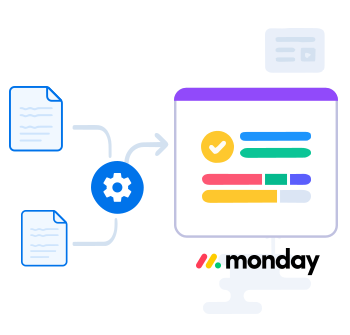
Just upload a document or choose a template, map the fields, and trigger your flow via status, button, or automation. GetSign takes care of the rest—populating your document with board data, signing, tracking, and storage.
One-click document workflow setup for monday.com
Create, send, and manage documents directly from your monday.com boards using GetSign. Simply map your fields, configure your signers, and use triggers to automate everything else.
- Sales teams sending quotes, proposals, and contracts for eSign.
- HR managers automating offer letters and onboarding paperwork.
- Legal and finance teams standardizing approvals and compliance workflows.

Features that make GetSign all-in-one document solution
Native to monday.com
No integrations needed—just open a board and start using GetSign.
One-click audit trail
Each signed document includes a downloadable record of activity.
Link sharing + email
Send signature requests via email or share secure signing links with contacts.
Templates & automations
Generate documents from templates using monday data and trigger actions via status.
Why automating your entire document workflow on monday.com with GetSign is your best choice
Automating digital signature workflows can improve the efficiency, accuracy, security, audibility, accessibility, and cost-effectiveness of the signature process. By streamlining and simplifying the signature process, your and your team can focus on more important tasks and improve their overall productivity.
Increased Efficiency
Manage your document workflows without leaving your workspace. This eliminates repetitive manual steps and significantly speeds up your document cycles.
Increased Security
GetSign’s integrated workflows come with robust security measures like encryption, secure storage, and document expiration options.
Built-in Automations
By automating your workflows, your team can save time, ensure accuracy, and work more efficiently without switching tools.
Use our built in document editor to edit documents
With GetSign’s powerful built-in DOCX editor, you can take complete control of document creation within monday.com. Perfect for generating contracts, proposals, invoices, or detailed reports, the editor enables you to map board data, merge sub-item details, and apply advanced filters with ease.
You can filter sub-items by conditions such as status, availability, or delivery state, ensuring that only the most relevant data is included. Plus, you can fully format your documents before finalizing them, making sure they’re accurate, professional, and ready to send.
What you can do
Map your data
Insert monday.com item fields directly into templates for precise and automated document generation.
Customize workflows
Import structured sub-item data like product lists, prices, and statuses with advanced filtering options.
Format your documents
Apply styling, adjust layouts, and polish documents before saving or sending.
Built for teams of all kinds
HR & People
Send offer letters, NDAs, and forms using employee data on monday.com.
Sales & CRM
Send and sign quotes, contracts, and renewals directly from deal pipelines.
Finance & Legal
Manage purchase agreements, approvals, and compliance docs in one place.
Ops & Delivery
Generate and sign client-facing or internal docs based on project statuses.

Built to scale with your document workflows
GetSign is designed to grow with you. Whether you’re managing a handful of documents each month or scaling enterprise-grade workflows, GetSign adapts to your complexity.
- Free plan for small teams or testing
- Affordable plans for small businesses
- Advanced plans for high-volume enterprise needs
GetSign Pricing
Start with a 14-day free trial to explore all features. Plans scale with document and signature needs, with higher tiers unlocking form fields, OTP, and Stripe integration.

Free
$0 /month
Features
- Generate up to 20 documents
- Collect up to 15 eSignatures
- Drag & drop editor
- Real-time eSignature tracking
- Sub-Item support for quotes and Invoices
- Merge formulas, mirrored columns, audit trail
- Fillable Form Fields
- HIPAA and GDPR Compliance
- Email support

Starter
$30 /month
Features
- Generate up to 250 documents
- Collect up to 40 eSignatures
- Drag & drop editor
- Real-time eSignature tracking
- Sub-Item support for quotes and Invoices
- Merge formulas, mirrored columns, audit trail
- Fillable Form Fields
- HIPAA and GDPR Compliance
- Onboarding support

Standard
$85 /month
Features
- Generate up to 1000 documents
- Collect up to 200 eSignatures
- Drag & drop editor
- Real-time eSignature tracking
- Sub-Item support for quotes and Invoices
- Bulk auto-send documents for signatures
- Fillable Form Fields
- HIPAA and GDPR Compliance
- Onboarding support
Recommended

Enterprise
$145 /month
Features
- Generate up to 2000 documents
- Collect up to 900 eSignatures
- Drag & drop editor
- Real-time eSignature tracking
- Sub-Item support for quotes and Invoices
- OTP secured signature workflows
- Fillable Form Fields
- Collect Payments with Stripe
- HIPAA and GDPR Compliance
- Onboarding support
Free
$0 /month
Features
- Generate up to 20 documents
- Collect up to 15 eSignatures
- Drag & drop editor
- Real-time eSignature tracking
- Sub-Item support for quotes and Invoices
- Merge formulas, mirrored columns, audit trail
- Fillable Form Fields
- HIPAA and GDPR Compliance
- Email support
Starter
$25 /month
Features
- Generate up to 250 documents
- Collect up to 40 eSignatures
- Drag & drop editor
- Real-time eSignature tracking
- Sub-Item support for quotes and Invoices
- Merge formulas, mirrored columns, audit trail
- Fillable Form Fields
- HIPAA and GDPR Compliance
- Onboarding support
Recommended
Standard
$70 /month
Features
- Generate up to 1000 documents
- Collect up to 200 eSignatures
- Drag & drop editor
- Real-time eSignature tracking
- Sub-Item support for quotes and Invoices
- Bulk auto-send documents for signatures
- Fillable Form Fields
- HIPAA and GDPR Compliance
- Onboarding support
Enterprise
$120 /month
Features
- Generate up to 2000 documents
- Collect up to 900 eSignatures
- Drag & drop editor
- Real-time eSignature tracking
- Sub-Item support for quotes and Invoices
- OTP secured signature workflows
- Fillable Form Fields
- Collect Payments with Stripe
- HIPAA and GDPR Compliance
- Onboarding support
Resources to support your success
From quick-start videos to expert tips, we’ve got the support and documentation you need to master document automation and eSignature inside monday.com.
Getting started with GetSign
The beginner's guide
Send documents for eSignature on monday.com board
Getting Started Article
Generate documents from monday.com board data using GetSign
Getting Started Article
Frequently Asked Questions
How Do I install GetSign on monday.com?
Installing GetSign is quick and simple. Head over to the monday.com Marketplace, search for GetSign, and click Install. Once installed, you can add GetSign to any of your boards and start sending documents for signatures or generating documents directly inside monday.com—no third-party setup required.
What is GetSign monthly cost?
GetSign offers usage-based pricing, so you only pay for what you actually use. This makes it cost-effective whether you’re a small team sending a few contracts each month or a larger organization managing hundreds of agreements. You’ll find the exact pricing details here.
Does everyone signing the document need a monday.com account?
No. Only the sender needs a monday.com account with GetSign installed. Signers will receive an email link to review and sign the document securely from any device—without needing to log into monday.com.
How many documents can I send for signatures each month or each year?
With GetSign’s usage-based model, you can send as many documents as you need. You can avail the pricing in detail here.
Which is the best document signing app on monday.com?
GetSign is the best document signing app on monday.com because it combines document generation, eSignatures, automation, and compliance in one unified tool. Unlike competitors with fixed plans, GetSign offers a flexible usage-based pricing model, so you only pay for what you use.