
Extract AI is a powerful monday.com app designed to automatically extract, organize, and populate key information and files from your Gmail and Outlook into your boards. Whether you need to capture sender details, subject lines, attachments, or other structured data, Extract AI streamlines the process with customizable automation controls built directly into its intuitive app interface.
Follow these steps to diagnose and resolve the most common issues preventing Extract AI from functioning correctly on your monday.com boards.
Issue 1: Permission Errors
Extract AI requires specific permissions to operate. You must be a board member with “Owner” status to trigger and manage Extract AI actions.
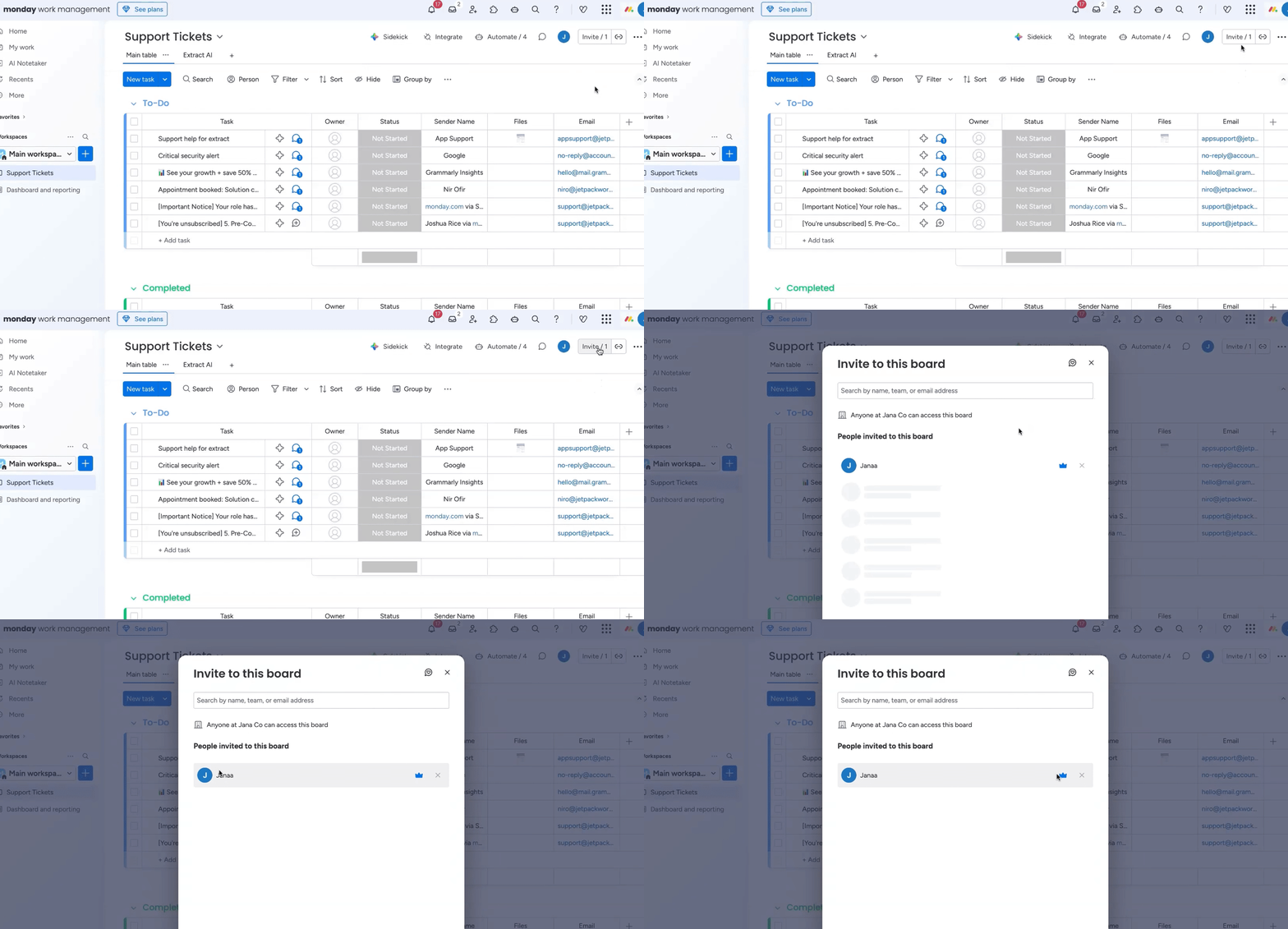
- Verify your permission status: Navigate to the monday.com board where Extract AI is configured. Look for a blue crown icon next to your name or within the board members list. This indicates you have Owner status. If you do not see the blue crown, you may need to ask a board owner or admin to grant you the necessary permissions.
- Revoke existing authorization: If you have Owner status but are still encountering permission issues, open the Extract AI app view on your board.
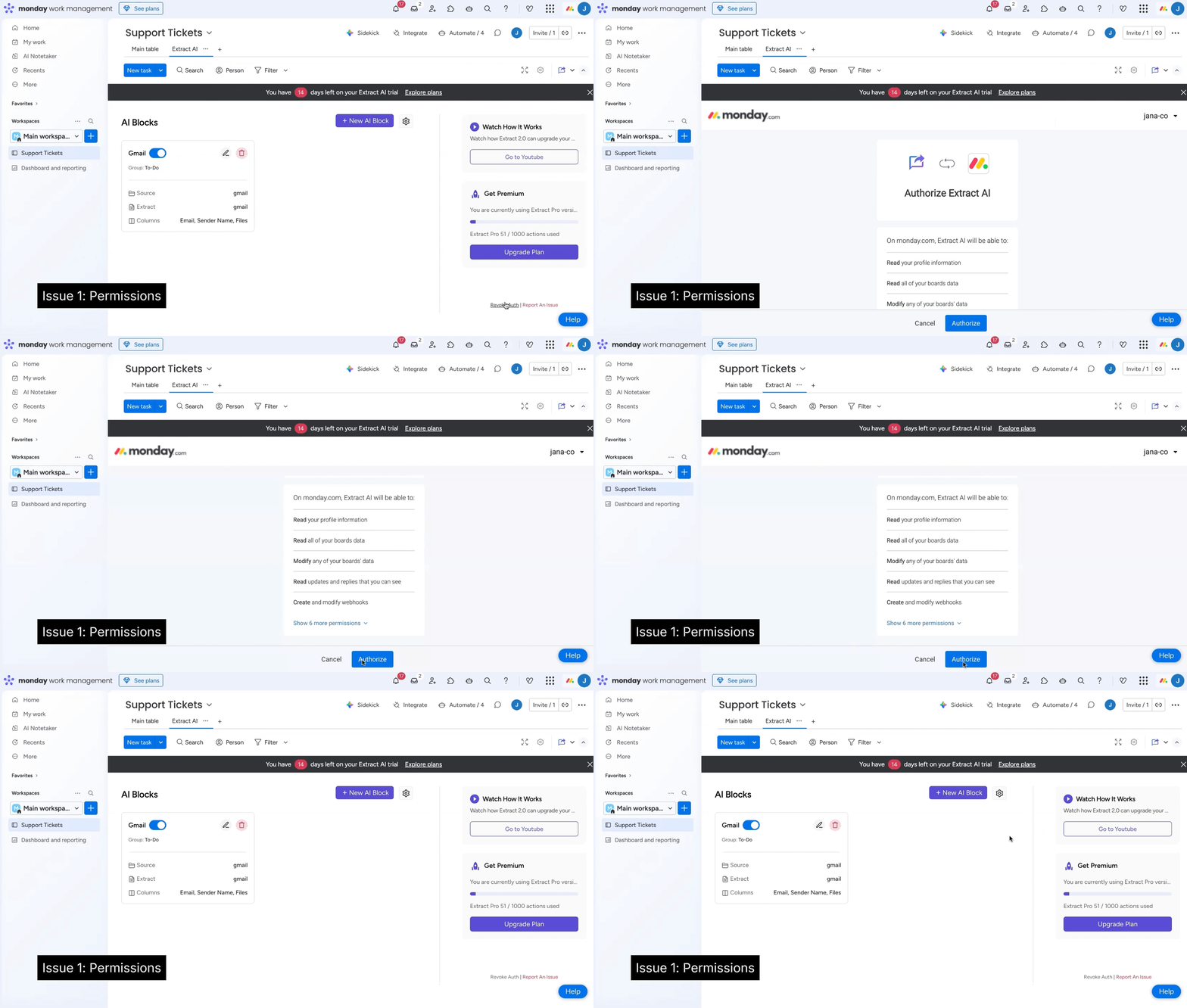
- Click the “Revoke” button at the bottom of the Extract AI configuration screen.
- Rerun authorization: Follow the prompts to reauthorize Extract AI. This refreshes the connection and typically resolves any underlying permission conflicts.

Issue 2: Extract AI Block is turned Off
For Extract AI to work, the app block on your monday.com board must be active.
- Navigate to the Extract AI app view: Open the Extract AI view on your monday.com board.
- Check the “Active” toggle: Locate the toggle button, which controls the app’s active status.
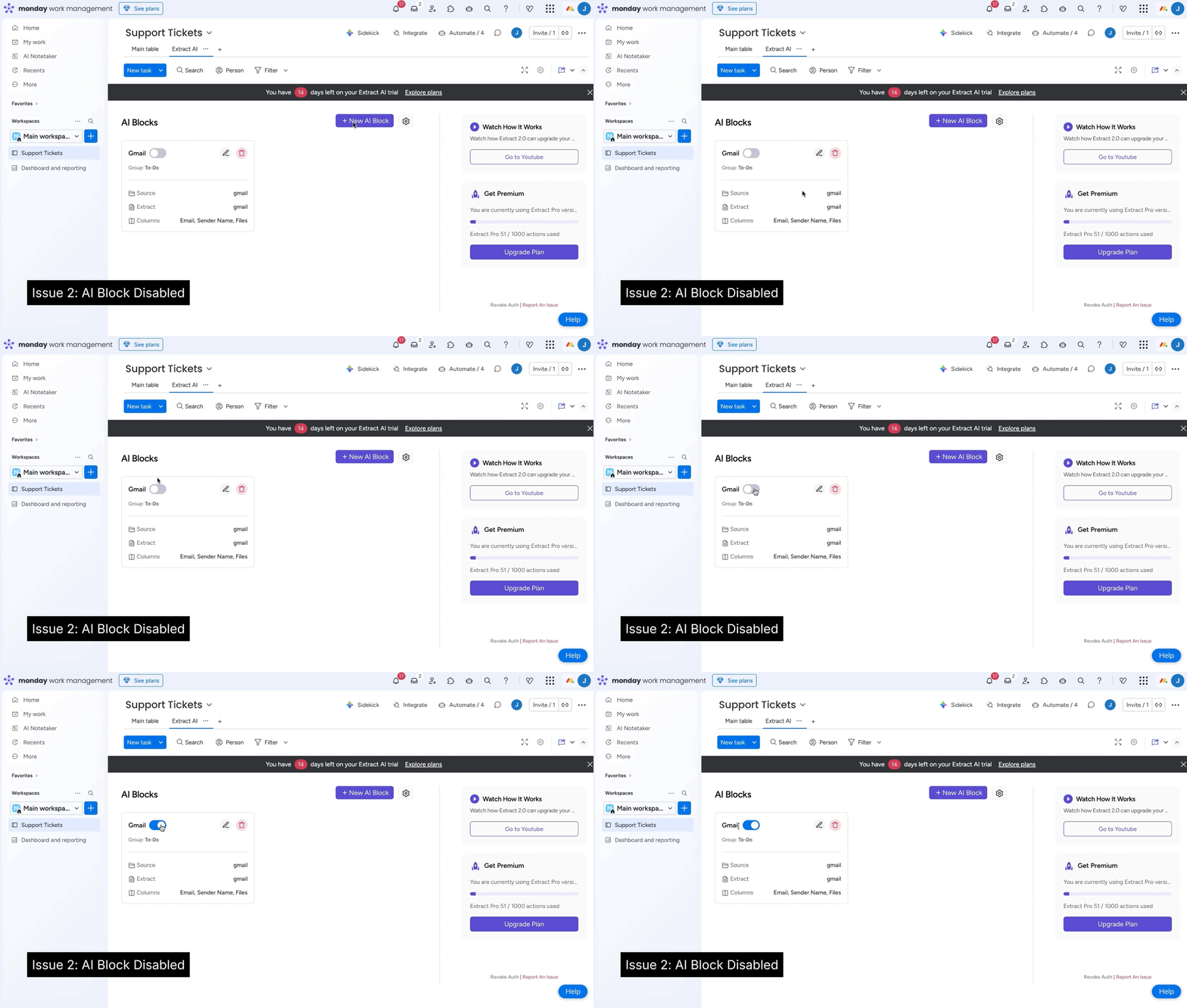
- Activate the block: If the toggle is not blue, click it to mark the block as “Active.” The toggle should turn blue, indicating that Extract AI is now enabled and running on your board.
Issue 3: Account Action Limits Reached
Extract AI operations count towards your monday.com account’s action limits. If you’re on a trial or a specific plan, you might have hit your allocated usage.
- Check your account’s action limits: Determine if your monday.com account is in a trial period or if your current subscription plan has an action limit that you may have exceeded. Trial periods often have a limit, such as 1,000 actions.
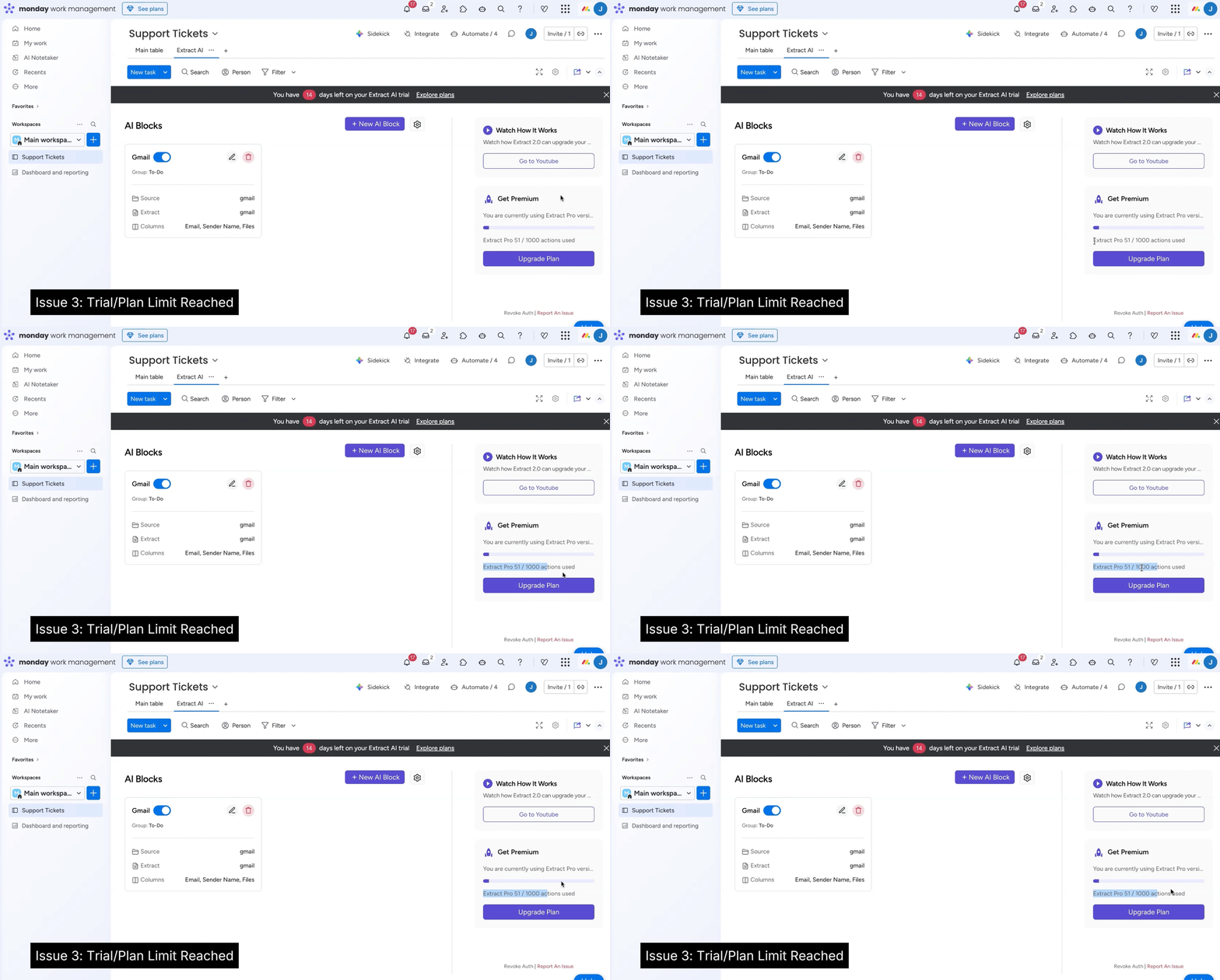
- Subscribe for more actions: If you are in a trial period and have exhausted your actions, you will need to subscribe to a paid plan to continue using Extract AI and other automations.
- Contact support for trial extension: If you are still within your trial period but have reached the action limit, you can contact the Jetpack Apps support team. We can extend your trial period to allow you more time to evaluate the app.
Tips and best practices of using Extract AI:
- Board Owner Status: Always confirm you have Owner status on a board before attempting to configure or troubleshoot Extract AI. This is a common oversight.
- Regular Checks: If you experience intermittent issues, it’s good practice to periodically verify that the Extract AI block remains “Active” on your board.
- Monitor Usage: Keep an eye on your account’s action usage, especially if your workflows are heavy or if you are on a trial. Understanding your plan’s limits can prevent unexpected interruptions.
- Clear Browser Cache: In rare cases, browser-related issues can impact app functionality. Clearing your browser’s cache and cookies can sometimes resolve persistent, inexplicable problems.
What can the users do now?
Once you’ve addressed these common issues, Extract AI should resume its normal operations. Your team can once again rely on seamless, automated data extraction, eliminating manual entry, reducing errors, and accelerating your workflows. You’ll regain the efficiency and accuracy that Extract AI brings to your monday.com boards, ensuring your critical data is always where it needs to be, when you need it.